
Job sheets that arrive filled in and come back signed
Send the job sheet to the engineer doing the work, with the details already in. They complete it on site, the customer signs, and a branded PDF is ready before they’ve left the van.
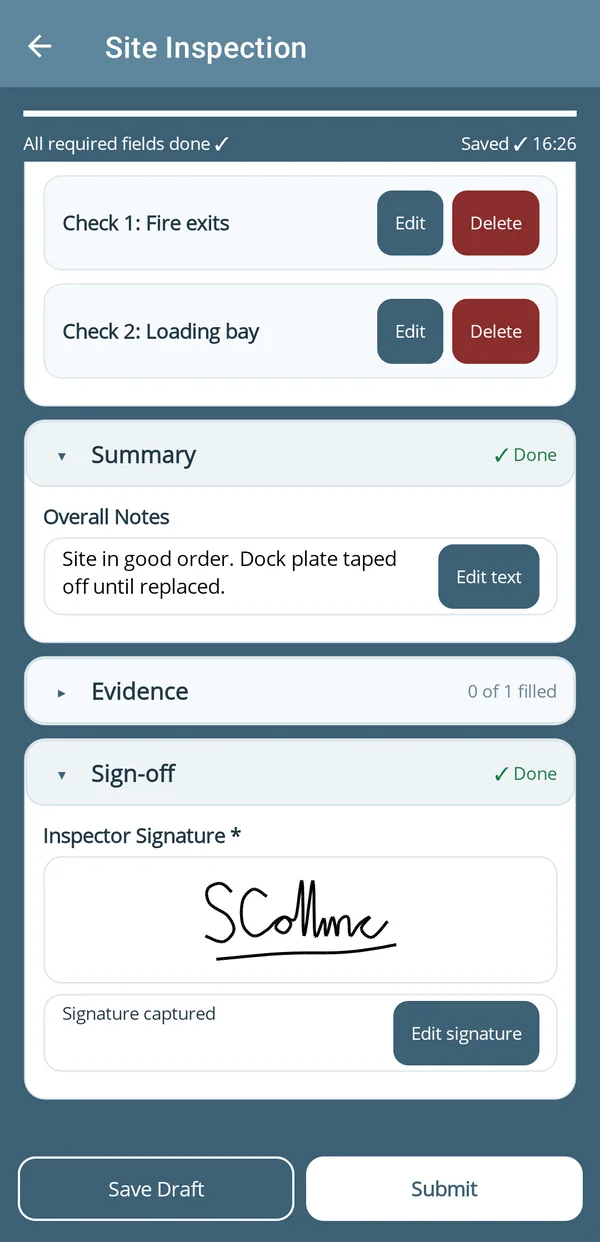
signed before leaving site
Built for the way job sheets actually move
From office to engineer to customer, without a single piece of paper changing hands.
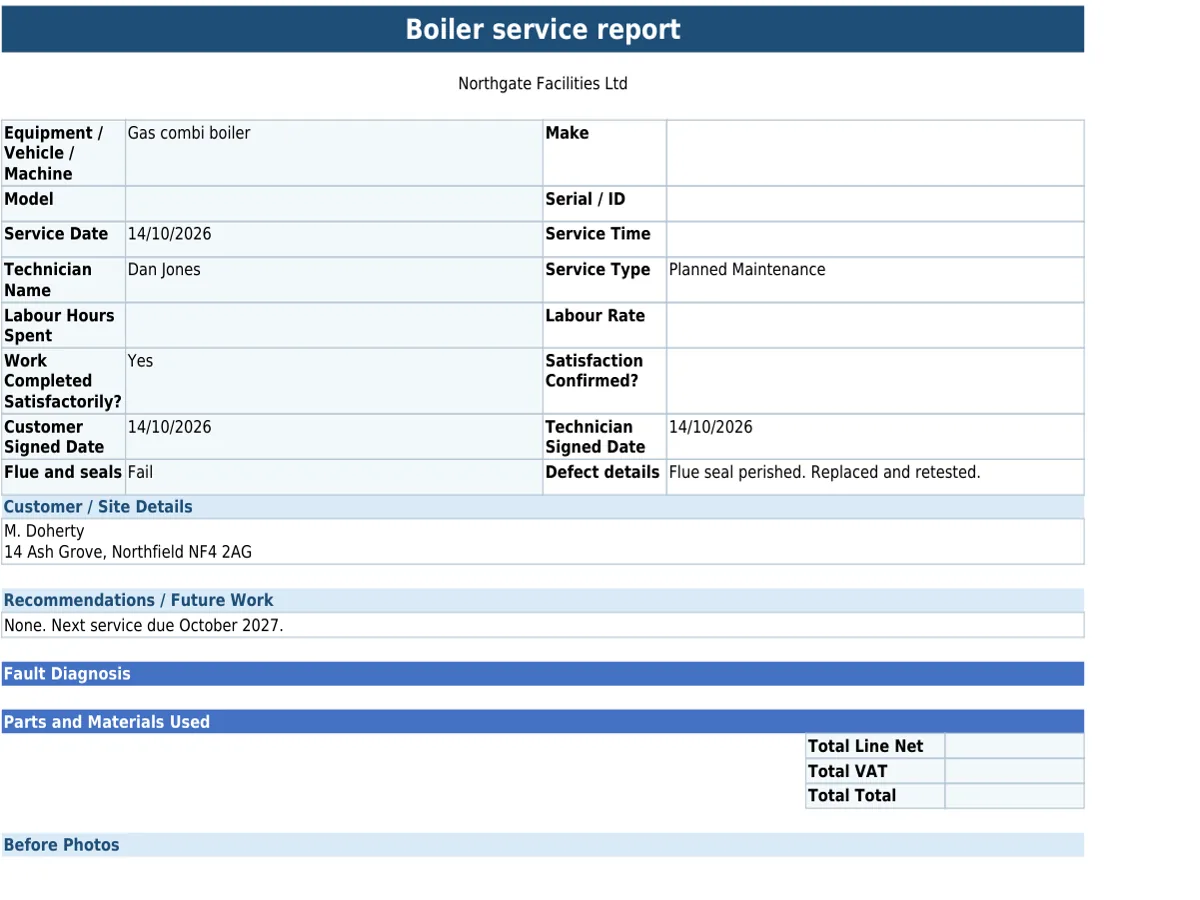
Paper formFinished PDF
- Sent to the right engineer.
Job sheets go pre-filled with the details straight to the person doing the work, so nothing gets missed or mistyped in the field.
- The full picture before they arrive.
Attach site plans, work orders or previous reports before the job sheet goes out.
- Signed on site.
The customer signs on the engineer’s phone or tablet when the job’s finished. The signature and photos of the completed work go into the finished PDF.
Set the job sheet up once, with the fields, checklists and sign-off you need, in the form builder or from a ready-made template.
Included on every plan: works with no signal, scans barcodes, QR codes and text, and sends forms to people without an account. See everything it does
Questions about job sheets
Can you convert our paper job sheet or spreadsheet?
Yes. Send us your current job sheet and we’ll turn it into a mobile-friendly digital form with a professional PDF output, as a paid setup service.
Completed job sheets are kept for as long as your account is open, unless you delete them. Your plan sets how far back you can view and search them (see pricing), and the Data Retention Schedule has the full detail.
Send your next job sheet to a phone
Start your 30-day Pro trial today.