
Get the Straight2PDF app
The field side of the same system your office runs from the dashboard. Fill in assigned forms, capture photos and signatures, and submit from your phone or tablet, even in basements, plant rooms and rural sites with no signal.


 On a computer?
Scan with your phone to open this page and download
On a computer?
Scan with your phone to open this page and download
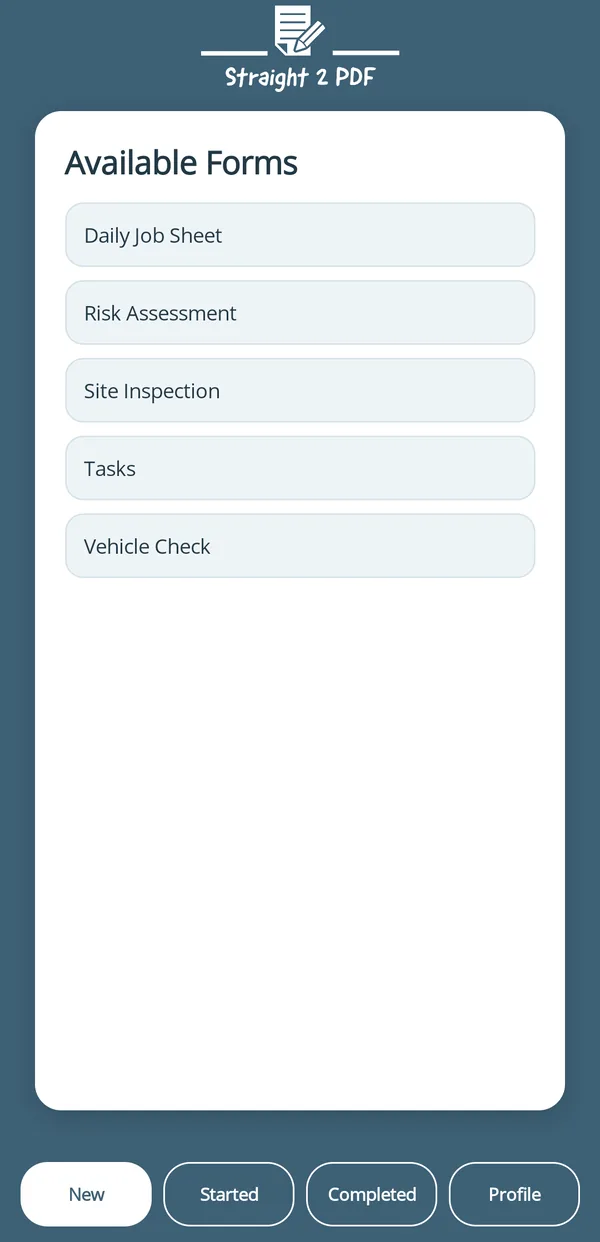
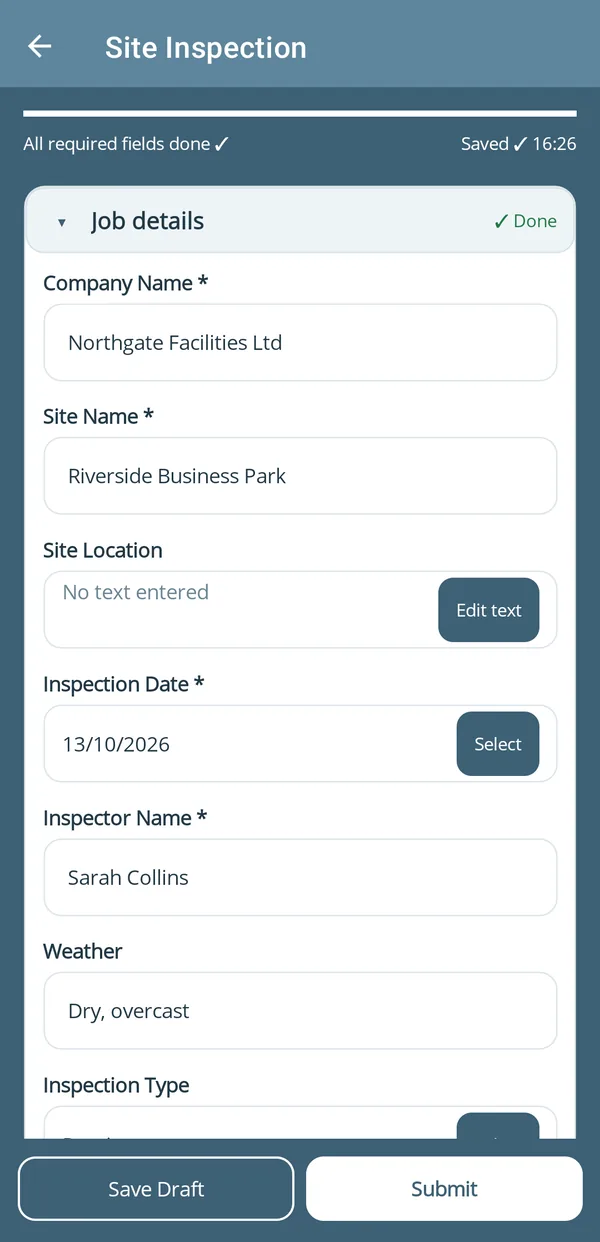

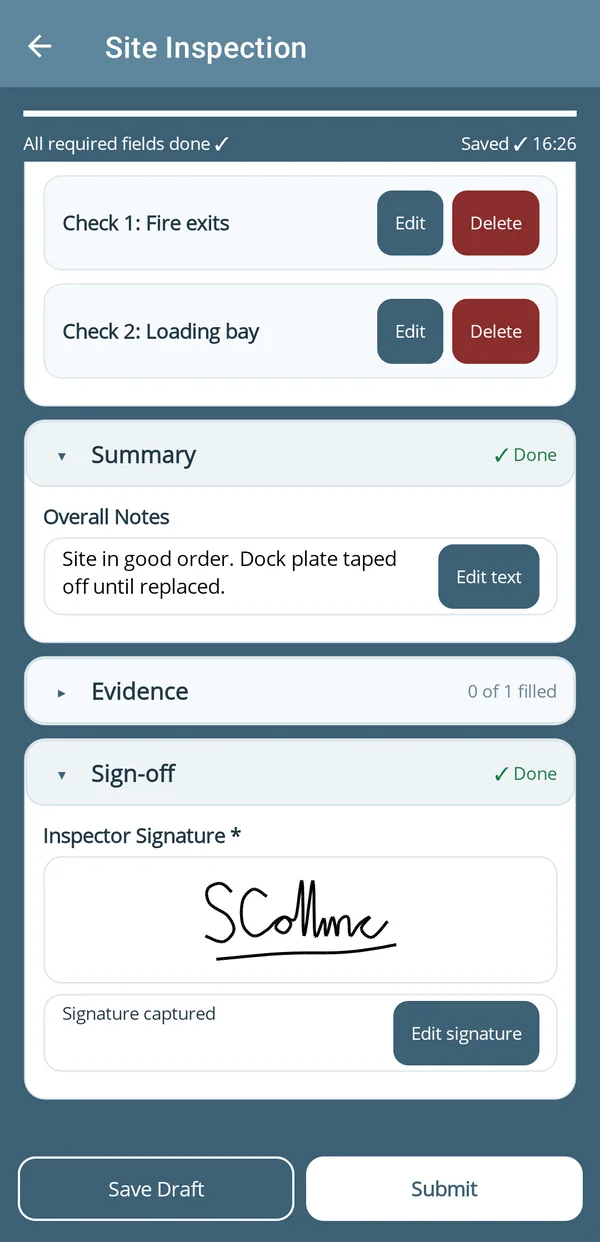
- Pick a form.
Every form available to you, ready to open.
- Fill it in.
Each section on site, with validation built into every field.
- Sign it off.
Get the customer’s signature and attach photos on the form. No separate apps needed.
- Save or submit.
Save a draft to finish later, or submit and the branded PDF is created and sent back to the office.
Built for one-handed use in the field
- Works with no signal.
Forms save on your phone and upload automatically when the connection comes back.
- Scan instead of typing.
Scan barcodes and QR codes, read text from labels with the camera, and fill a location field with one tap.
- Locked to you.
Turn on the app lock to open it with your fingerprint, face or phone screen lock.
How the app fits your workflow
The app isn’t a separate tool. It’s the field side of the same system your office runs from the dashboard.
- 1The office assigns from the dashboard.
Admins build forms, assign them to the right user, attach reference documents, and mark forms as review-required.
- 2The field completes it in the app.
The assigned user opens the app, fills in the form on site, and adds photos and a signature as they go.
- 3Straight back to the dashboard.
The submission and its branded PDF appear the moment it’s sent, searchable immediately. No separate sync step.
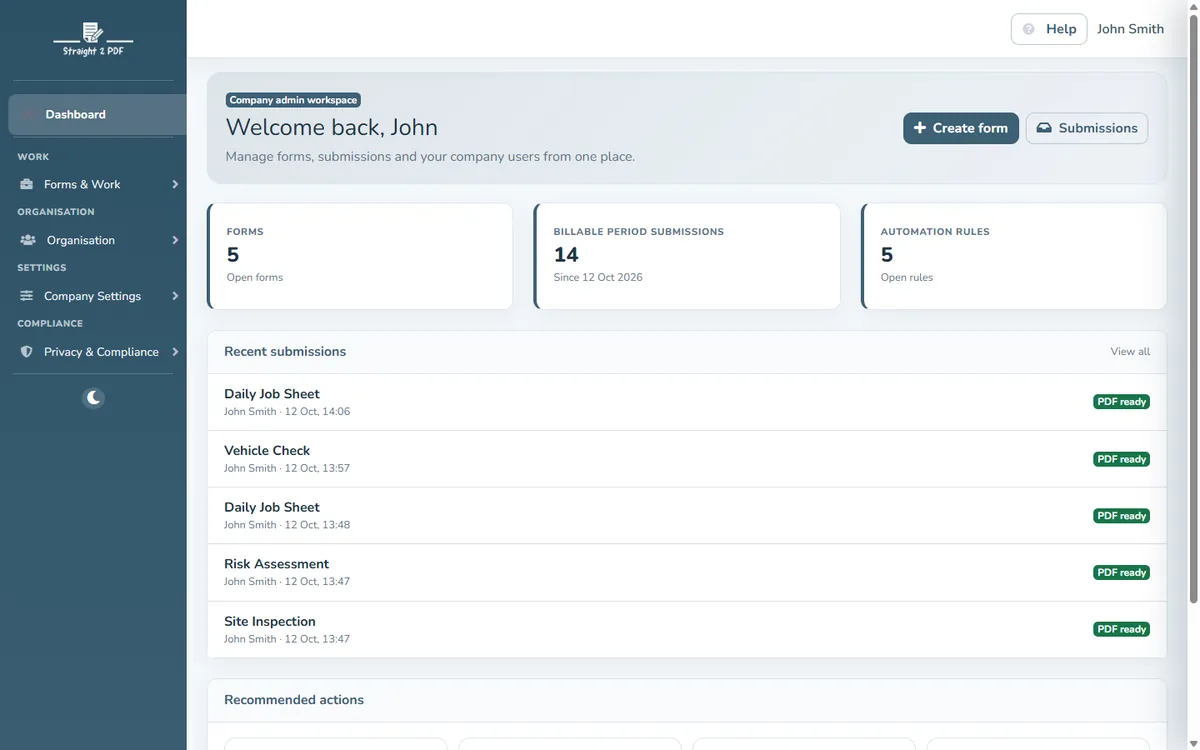
Setting up for your team?
Start your 30-day Pro trial today.