
Quote On-Site. Signed Before You Leave.
Write up quotes and job sign-offs on your phone, get the customer's signature there and then, and email them a branded PDF automatically.
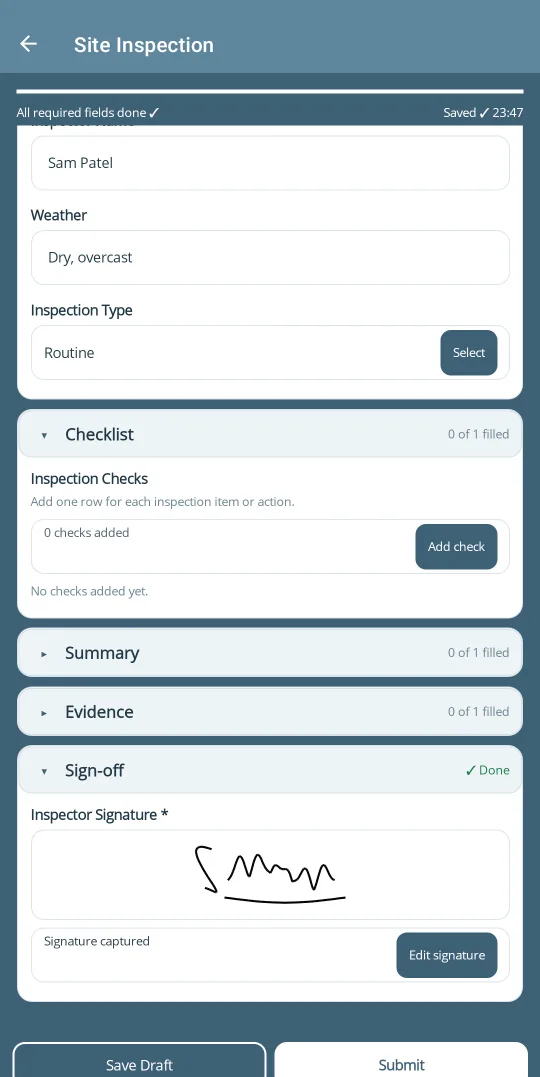
From Site Visit to Signed Quote
No writing it up again back at the office.
Line Items and Parts
Add each piece of work, the hours and the parts as rows in a table, with photos of the job attached.
Customer Signs On-Site
The customer signs on your screen, so the agreed work and price are confirmed before you leave.
Their Copy, Straight Away
The branded PDF is emailed to the customer automatically as soon as the quote is submitted.
Or Send Them a Link
Not on-site? Email the customer a link to complete and sign the form in their browser. No app or account needed.
Repeat Customers in a Tap
Pick saved customer and site details from your address book instead of typing them again.
Looks Like Your Quote
Design the PDF in Excel with your logo and wording, or start from the ready-made quote templates.
How It Works
Set up your quote form once, then use it on every visit.
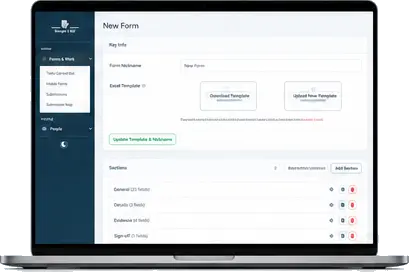
1. Set Up Your Quote
Start from a quote template or build your own with the sections, tables and terms you use.
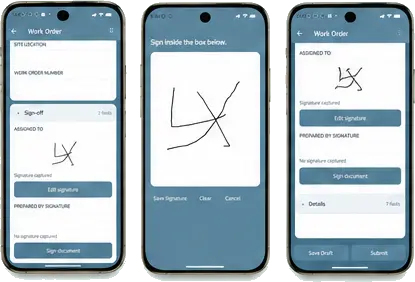
2. Quote and Sign On-Site
Fill in the work and price on your phone, add photos, and get the customer's signature.
3. PDF to the Customer
The finished PDF goes to the customer and the office automatically, and is stored with the job.
Already have a quote or sign-off sheet?
Send it to us and we'll help turn it into a mobile form that produces the same professional PDF.
Frequently Asked Questions
Can the customer get a copy of the quote straight away?
Yes. The finished PDF can be emailed automatically to the email address entered on the form, so the customer has their copy as soon as the quote is submitted.
Can a customer sign without downloading an app?
Yes. They can sign on your phone or tablet on-site, or you can email them a link to complete and sign a simple form from their own browser, with no account needed.
Will the PDF look like our own quote?
Yes. You design the PDF layout in Excel with your logo and wording, or start from a ready-made quote template.
Ready to quote faster?
Sign-up is paused while we test it. Contact us and we can set up your trial.
Ask About a Trial